Perfect Landing
A skill game about flying as far as you can through clouds. It suits players who like short rounds, simple controls and slowly improving a record.
What you do in the game
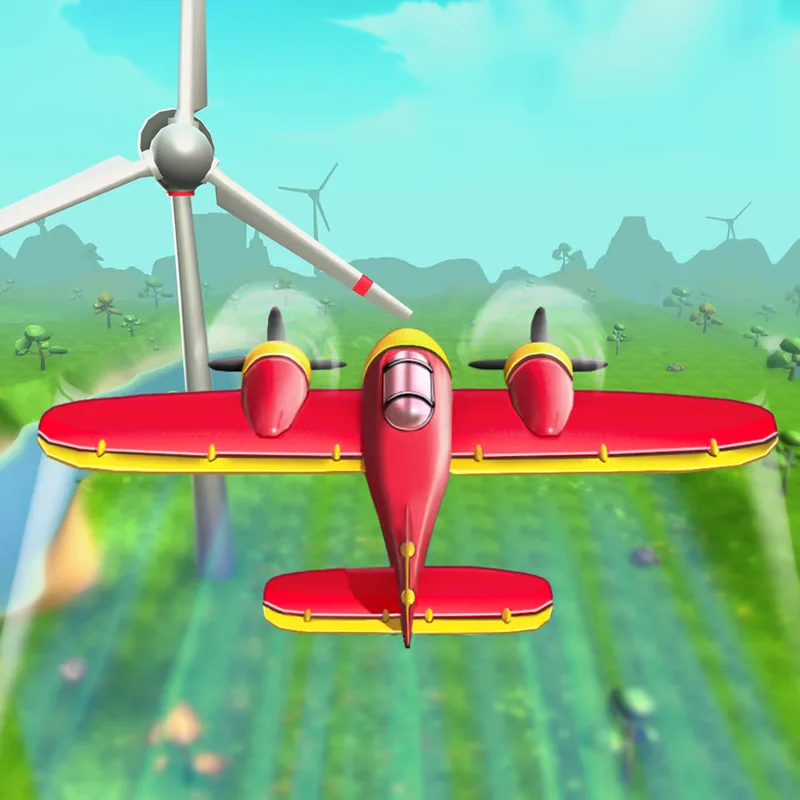
Your plane has to fly as far as possible through the clouds. The obstacles are rotating windmills, and the run is about steering around them for as long as you can. It is worth being precise about the goal: the game is about distance, not about reaching a runway, so every flight is measured by how far you got before a windmill stopped you.
The game uses swipe controls. A swipe makes the plane fly, and swiping left or right changes its direction. On a computer the same swipe gesture is done with the mouse. Windmills rotate, which means a gap that was open a moment ago may be closed now. The skill is in reading the rotation and picking the moment to pass.
Each flight earns coins. You spend them on upgrades for the planes, so a short run is never wasted: it pays for the next one. The coins matter because they give a reason to play another round. Better planes are the upgrade Poki lists, so each flight builds toward a stronger aircraft.
Because rounds are short, the game works in small sessions. The goal is a longer flight than last time. Because the swipe works the same way on a touch screen and with a mouse, the game feels similar on any of the three devices it lists.
What each input does
- Swipe
- Make the plane fly
- Swipe left or right
- Change direction
Before your first run
Make small direction changes; large ones are harder to correct. Over-steering is the usual cause of an early crash, so keep each swipe short.
Look ahead at the windmills before you commit to a side. A plan one windmill ahead beats a reaction to the one in front of you.
Spend your coins on plane upgrades between flights. Poki lists upgrades as the purpose of the coins, so a short flight still helps.
Treat each flight as a try for a longer distance than the last. A longer distance than your last flight is the simplest target and the easiest to measure.
Test the swipe on your device first, since the controls are the whole game. A small test run tells you how much a swipe moves the plane.
A good fit if you like
Players who like casual skill games, quick rounds and small upgrades.
What may put you off
Poki says nothing about age suitability for this game. That is a general note about the listing, so check the Poki page if age matters to you.
Poki is supported by advertising, so ads may appear around the game on poki.com. Ads are Poki's choice, not this site's, and they can show up between flights.
Swipe-only control can feel imprecise on a mouse at first. A mouse swipe is less natural than a finger swipe, so expect a short learning curve on a computer.
Questions about Perfect Landing
Is Perfect Landing free?
Yes. Poki lists it as a free browser game. It runs in the browser, and no Poki account is needed to start.
What are the controls?
Swipe to fly, and swipe left or right to change direction. Poki describes swipe controls, with left or right changing direction.
What do I do with coins?
Poki says coins from each flight go toward plane upgrades. They are collected on each flight and used for plane upgrades.
Who made it?
Poki lists GeniGames. GeniGames also made Pro Shooter, which is on this site.
The basics, as Poki lists them
- Genre
- Casual
- Made by
- GeniGames
- Devices
- Computer, phone, tablet
- Input
- Swipe to fly, left or right to change direction
- Session
- Runs in the browser, no download
- Account
- No Poki account needed to start
- Age fit
- Not stated by Poki
- Updated
- Updated October 2026 (released June 2025)

